


Description
Abaqus H-Frame Structure Tutorial | Advanced Screw Connections
This Abaqus H-Frame Structure tutorial is an advanced Abaqus H Frame Tutorial for creating, connecting, and analyzing H-shaped structural assemblies in Abaqus/CAE. Build on Part 1 with Abaqus Screw Connection Modeling, Abaqus Fastener Simulation, Abaqus Structural Frame Analysis, and Abaqus Frame Assembly workflows. Learn to organize frame members, define connection behavior and contact, assign materials, apply loads and supports, generate meshes, and interpret stress, displacement, and reaction forces. Prerequisite: Part 1 — Abaqus T-Frame Structure Tutorial.
What Is Abaqus H-Frame Structure Modeling? Advanced Screw Connections & Frame Analysis Explained
Abaqus H-Frame Structure modeling uses finite element analysis (FEA) to predict how an H-shaped assembly of structural members and mechanical connections responds to applied loads. This advanced Abaqus H Frame Tutorial develops the complete Abaqus Frame Assembly workflow: part geometry, material and section assignments, positioning, connection definitions, contact, loading, meshing, solution, and post-processing. Abaqus Screw Connection Modeling and Abaqus Fastener Simulation represent how forces transfer between joined components, while Abaqus Structural Frame Analysis evaluates frame deformation, local stress concentrations, and support reactions. The course builds on Part 1 T-frame fundamentals.
What Is an Abaqus H Frame Tutorial Used For?
An Abaqus H Frame Tutorial teaches engineers how to assemble an H-shaped structural system and evaluate connected-member response under prescribed loading. It extends the T-frame workflow to additional members and interfaces, where joint assumptions and load distribution require careful verification.
How Does Abaqus Screw Connection Modeling Work in an H-Frame?
Abaqus Screw Connection Modeling represents the mechanical coupling between structural parts. Depending on the model, screws may be idealized using fastener or connector definitions, coupling constraints, or explicit solid geometry. The chosen method governs relative movement and load transfer; detailed threads and pretension should not be assumed unless present in the supplied files.
What Does Abaqus Fastener Simulation Include?
Abaqus Fastener Simulation involves defining fastener positions and behavior, connecting the intended surfaces or regions, and evaluating joint response. The analyst checks that forces and moments transfer along physically reasonable load paths and that fastener definitions are compatible with the mesh and analysis procedure.
How Do You Build an Abaqus Frame Assembly?
An Abaqus Frame Assembly is created by positioning H-frame members, assigning material and section properties, aligning connection regions, and defining interactions or constraints. Assembly accuracy matters because gaps, misalignment, duplicate constraints, or missing connections can distort the simulated response.
What Is Evaluated in Abaqus Structural Frame Analysis?
Abaqus Structural Frame Analysis examines global displacement, von Mises stress, reaction forces, and local behavior near joints and supports. Appropriate checks include force balance, mesh sensitivity, realistic supports, and consistency of screw/fastener load-transfer assumptions.
Is the Abaqus T-Frame Tutorial Required Before Part 2?
Yes. Part 1 — Abaqus T-Frame Structure Tutorial is the prerequisite for this Abaqus H-Frame Structure course. Part 2 advances the assembly and screw/fastener workflow. Part 3 — Abaqus Bolt Connection Tutorial is a separate standalone course.
Abaqus H-Frame Structure Tutorial — Part 1 Prerequisite & Advanced Learning Path
Complete Part 1 T-Frame Fundamentals Before H-Frame Modeling
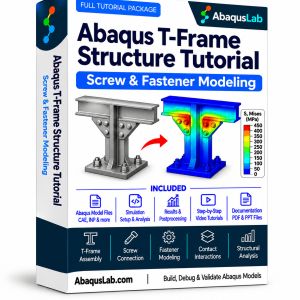
The Abaqus H-Frame Structure course is Part 2. It assumes familiarity with Part 1 assembly setup, Abaqus Screw Connection Modeling, Abaqus Fastener Simulation, meshing, and results interpretation. Complete the Abaqus T-Frame Structure Tutorial first; the independent bolt connection tutorial is optional.
Recommended learning sequence:
What Does the Abaqus H-Frame Structure Tutorial Cover?
This advanced Abaqus H Frame Tutorial applies Abaqus Frame Assembly techniques to an H-shaped structural system. The workflow emphasizes Abaqus Screw Connection Modeling, Abaqus Fastener Simulation, and Abaqus Structural Frame Analysis with realistic member interactions and result verification.
H-Frame Geometry
Create and organize H-shaped structural members.
Abaqus Frame Assembly
Align frame components and define joined regions.
Abaqus Screw Connection Modeling
Model screw-based connection idealizations.
Abaqus Fastener Simulation
Assign fasteners and inspect joint load transfer.
Assembly Alignment
Position members and check connection compatibility.
Material and Section Properties
Define material behavior and member properties.
Contact and Constraints
Control interfaces and prevent unintended rigid motion.
Loading and Supports
Apply realistic loads and boundary conditions.
Mesh Generation
Mesh frame members and connection regions.
Abaqus Structural Frame Analysis
Run the H-frame finite element simulation.
Stress and Displacement
Interpret deformation and stress concentrations.
Model Verification
Check reactions, mesh sensitivity, and joint response.
Abaqus Bolted Connections & Frame Structures Learning Path — Parts 1–3
The AbaqusLab learning path begins with Part 1 — Abaqus T-Frame Structure and advances to Part 2 — Abaqus H-Frame Structure. Part 1 is required before Part 2. Part 3 — Abaqus Bolt Connection is standalone, and the complete suite contains all three tutorials.
Part 1 — T-Frame Structure
- ⚙️ T-frame geometry and assembly
- 🔩 Screw and fastener modeling
- 📐 Structural loads and constraints
- 🔍 Stress and displacement results
Part 2 — H-Frame Structure
- ⚙️ H-frame structural assembly
- 🔩 Advanced screw connections
- 📐 Frame interactions and loading
- 🔍 Structural response interpretation
Part 3 — Bolt Connection
- 🔩 Bolted joint modeling
- ⚙️ Connection interactions
- 📐 Loading and joint behavior
- 🔍 Bolt and plate response
Abaqus Bolted Connections & Frame Structures — Parts 1–3
- H-Frame Structure — Part 1
- H-Frame Structure — Part 2
- Bolt Connection — Part 3
- Screw and fastener modeling
- Structural connection analysis
- Combined learning resources
Prices above are proposed and should be updated to your finalized WooCommerce prices before publication. Product links are proposed slugs and should be checked after publication.
What You Receive with This Abaqus H-Frame Structure Tutorial
This Abaqus H-Frame Structure learning package helps you reproduce an advanced Abaqus Frame Assembly and study Abaqus Screw Connection Modeling, Abaqus Fastener Simulation, and structural results. Verify exact file formats and support arrangements against the delivered package before publishing.
H-Frame Structure Modeling Tutorial Videos
Abaqus Models & Supporting Materials
Abaqus H-Frame Structure Tutorial — Learning Sequence
Abaqus Structural Frame Analysis — H-Frame Connection Verification Workflow
What You Will Learn with the Abaqus H-Frame Structure Tutorial
H-Frame Geometry
Create and organize H-shaped structural members.
Abaqus Frame Assembly
Align frame components and define joined regions.
Abaqus Screw Connection Modeling
Model screw-based connection idealizations.
Abaqus Fastener Simulation
Assign fasteners and inspect joint load transfer.
Assembly Alignment
Position members and check connection compatibility.
Material and Section Properties
Define material behavior and member properties.
Contact and Constraints
Control interfaces and prevent unintended rigid motion.
Loading and Supports
Apply realistic loads and boundary conditions.
Who Is This Abaqus H Frame Tutorial For?
- Structural engineers extending T-frame knowledge to H-frame assemblies
- Mechanical engineers studying screw and fastener connections
- FEA analysts performing Abaqus Structural Frame Analysis
- Students who have completed Part 1 T-frame fundamentals
- Researchers evaluating joined-frame stiffness and stress
- Engineers improving Abaqus Frame Assembly workflows
Need Custom Abaqus H-Frame Assembly or Screw Connection Modeling?
Custom Abaqus H-Frame Structure projects may require specialized Abaqus Screw Connection Modeling, Abaqus Fastener Simulation, contact conditions, or structural loads. AbaqusLab consulting can help adapt the general Abaqus Structural Frame Analysis workflow to an engineering assembly.
Abaqus H-Frame Structure — Frequently Asked Questions
What is Abaqus H-Frame Structure modeling?
It is finite element analysis of an H-shaped structural assembly, including its members, mechanical connections, supports, loads, and structural response.
What does the Abaqus H Frame Tutorial cover?
The tutorial covers H-frame geometry and assembly, material assignments, screw/fastener connections, contact, meshing, loads, analysis, and stress/displacement review.
Does Part 2 include Abaqus Screw Connection Modeling?
Yes. Screw connection modeling is a core topic. The exact connection idealization should be verified in the provided Abaqus files.
What is Abaqus Fastener Simulation?
It is the numerical representation of fastener locations, mechanical behavior, and load transfer between connected structural components.
What is an Abaqus Frame Assembly?
It is a model of structural members positioned and connected to act as a frame, with defined material, connection, contact, and loading properties.
Does the H-frame tutorial include detailed screw threads or bolt pretension?
The supplied reference does not establish that detailed threads or pretension are included. Do not assume these features are covered.
Is Part 1 required before the Abaqus H-Frame Structure tutorial?
Yes. Part 1 — Abaqus T-Frame Structure Tutorial is the prerequisite for Part 2.
Is the Abaqus Bolt Connection tutorial a prerequisite?
No. Part 3 — Abaqus Bolt Connection Tutorial is standalone and can be taken independently.
What results are useful in Abaqus Structural Frame Analysis?
Displacements, von Mises stress, reaction forces, and joint response are important, together with mesh and connection verification.
Related Abaqus Frame Structure, Fastener & Structural Analysis Resources
Continue from the Abaqus H-Frame Structure to H-frame assembly, independent bolt connection modeling, and related Abaqus structural analysis workflows. The links below support navigation between the connected learning paths.
3. OTHER ABAQUS MODELING RESOURCES
4. CONSULTING & SUPPORT
5. EXTERNAL RESOURCES & DOCUMENTATION
Consult official Abaqus documentation for fastener, connector, contact, and structural analysis capabilities, and verify all model-specific settings in your supplied files.
Reviews
There are no reviews yet.